Cold Opens
Cutting Render Time in Half
The Situation
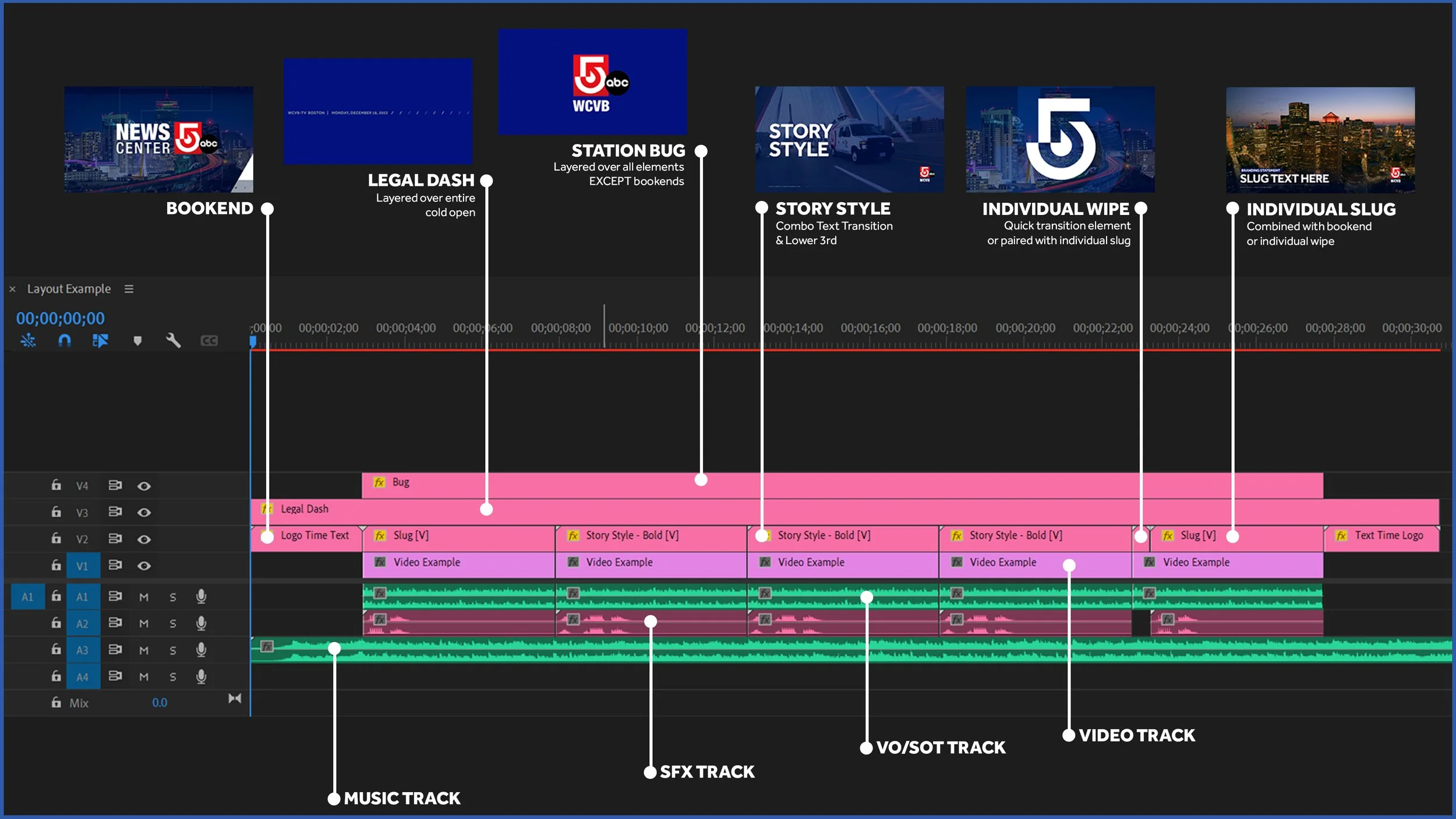
Cold opens are mission critical, highly-produced segments designed to capture and retain audiences off the top of the newscast. They have to be produced multiple times a day, every day, across dozens of stations — each with their own branding, legal requirements, and local identity. The existing process wasn't built for that reality. A new system was needed that could turn a polished, professionally animated open into something an editor could localize, customize, and render in minutes. MOGRTs and Libraries were chosen for this project specifically because of the success of the Typekit.
The Task
My art director handled the creative design and layouts. My job was everything after — rigging those animations into fully functional MOGRTs with media replacement, auto-updating dates, color themes, custom options, and station-specific localization. And critically, making them fast. Render time wasn't a nice-to-have. It was a hard production requirement.
The Work
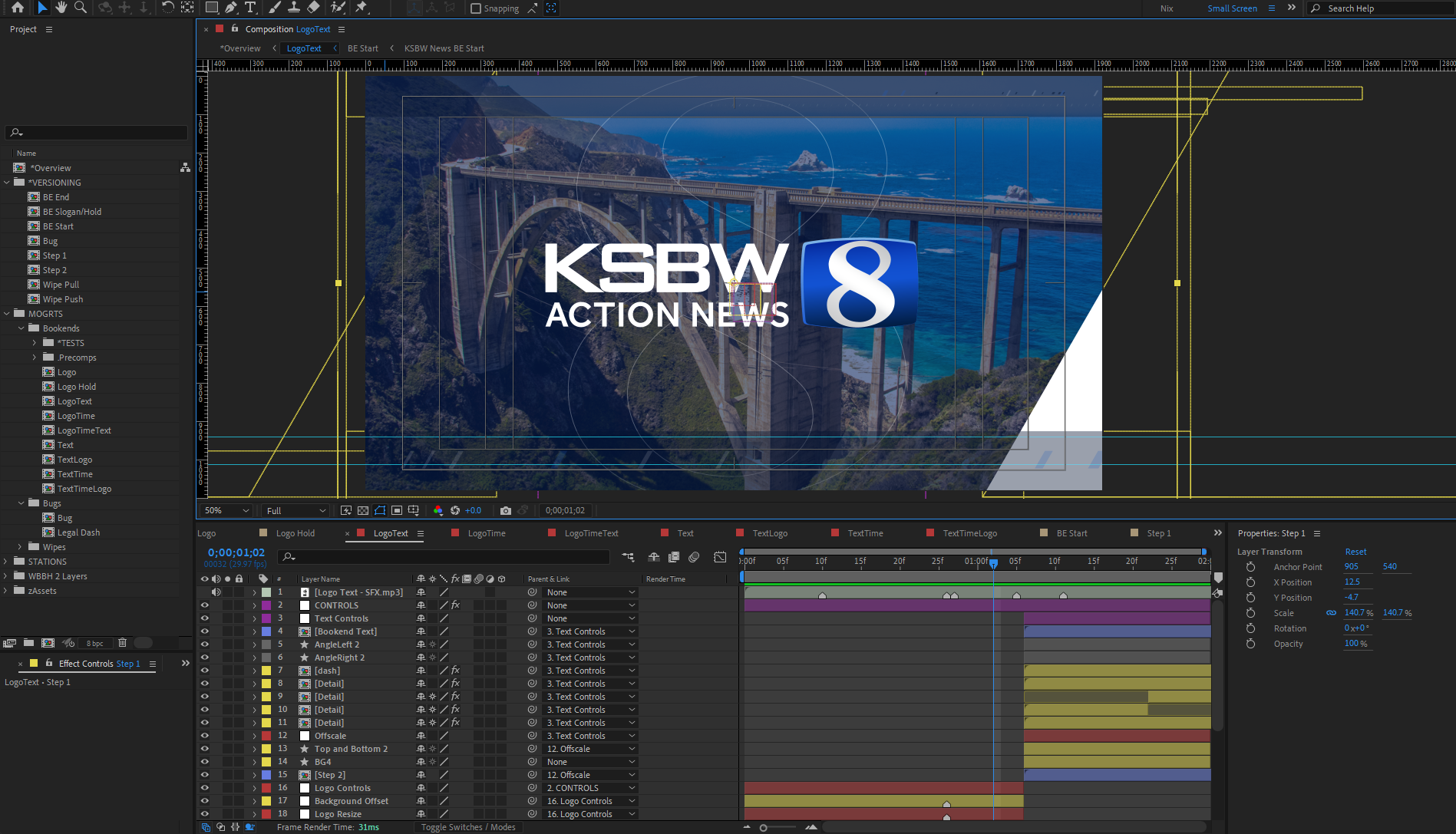
The first major optimization came directly out of testing. The original animations were built in 3D with a moving camera — visually compelling, but computationally expensive. Converting the scenes to 2D layers connected to nulls to simulate the 3D environment cut render times by 50%. Same visual result, half the time. That kind of discovery only surfaces when you're stress-testing with production constraints in mind, not just previewing in a comfortable studio setup.
Testing ran in two phases. First internally, refining a purpose-built After Effects export project that let us hot-swap station logos while preserving very specific animation timing — complex MOGRTs exported with only the assets each station needed, but maintained from a single source file. Then with beta stations, testing on local machines less powerful than ours to confirm render performance held in the real world, and working through ease of use with editors seeing the tools for the first time.
A few deliberate decisions shaped the final result. Redundancies were built in so editors could manually overwrite auto-updating dates and Legal IDs for edge cases — smart by default, never inflexible. We mapped which layouts could be station-agnostic versus station-specific, keeping the library as lean as possible. And one small but meaningful UX call carried over from the Typekit: instead of a dropdown for station selection — which would make stations at the bottom of an alphabetical list scroll every single time — editors type their call letters into a text field. Everyone has the same entry point.
One necessary compromise: time-protected regions were removed to support audio. A documented tradeoff, not an oversight.
Delivery runs through station-specific Adobe Libraries. Each station follows an intranet link to the libraries relevant to them — keeping their workspace clean and ensuring they only ever see tools that are actually theirs to use. It scales cleanly across the network without becoming a free-for-all.
The Outcome
What started as a cold open tool quickly grew beyond its original brief. The reception was strong enough that these tools are now used for promos, formal opens, and in-newscast animations — a footprint nobody anticipated at the start. Speed, flexibility, and ease of use turned a production necessity into a creative asset that stations reach for well outside the context it was built for. The reception for these cold open tools was so strong, leadership started to change the decade plus workflow. Instead of designing first in VizRT, we’re now starting FIRST in After Effects, then moving into Viz.